Pages

How to set up ( Fedora php ruby on rails )

Showing posts with label mysql. Show all posts

Friday, October 2, 2009

Installing Ruby On Rails on Fedora 11 12

How to install Ruby On Rails on Fedora 11 12 . . . .


Installation of ruby on rails on fedora was never easy before and this type installing ruby on rails on fedora is one step task . In Past installing ruby on rails was just a mess have to issue lots of commands now just one command and every thing is setup and rails is ready to go on than.
and best thing about this type of installation is about mysql binding which also get install without any error


Installing ruby on rails along with mysql


[ismail@localhost ~]$ sudo yum install rubygem-rails ruby-mysql

Thats it ruby on rails is ready to go


Optional installtions


Installing sqlite3 for ruby on rails


[ismail@localhost test]$ sudo yum install rubygem-sqlite3-ruby

Installing mongrel server for rails


[ismail@localhost test]$ sudo yum install rubygem-mongrel*

Installing json for rails


[ismail@localhost ~]$ sudo yum install rubygem-json

Installing git for rails


[ismail@localhost test]$ sudo yum install rubygem-git

IF some thing is missing you want to install about rails do comment

Wednesday, August 12, 2009

how to setup and install drupal on fedora

Drupal 6.13


Today we are going to install drupal on feodra and it would be same way for other linux distributions


First of you need to get drupal installation that we can get using the following command


[ismail@localhost ~]$ wget http://ftp.drupal.org/files/projects/drupal-6.13.tar.gz

Now we need to be super user (Root user) to perform rest of task


[ismail@localhost ~]$ su
Password:
[root@localhost ismail]#

Now we need to move downloaded files to our web directory in fedora that directory is /var/www/html/ to move file to web directory use the following command


[root@localhost ismail]# mv drupal-6.13.tar.gz /var/www/html

Now files are moved now we get to go to web directory


[root@localhost ismail]# cd /var/www/html/

Now extract the files from tar file and rename the folder drupal-6.13 to site or any you want


[root@localhost html]# tar -xf drupal-6.13.tar.gz

[root@localhost html]# mv drupal-6.13 sites

Now we need to move to our project directory which in this case is sites and now the is a folder in that called sites which contain configuration files


[root@localhost html]# cd sites/sites

Now we to set some permission on files and folder so our setting can be written on files to do that use following commands


[root@localhost sites]# chmod a+w default/

[root@localhost sites]# cd default/

Now create setting file to do so use following command and default.settings.php is already will be present and required so we will need to copy just


[root@localhost default]# cp default.settings.php settings.php

[root@localhost default]# chmod a+w settings.php

Drupal need some database before you start installation so we create first database and i am using drupal_db as database name


[root@localhost default]# mysqladmin -u root -p create drupal_db
Enter password:

Now open firefox and put URL of your project folder which is sites in this case


[root@localhost default]# firefox localhost/sites &


Select Install Drupal in English


Now enter the database name in our case its drupal_db database user name its root in my case and your password for database

and click continue to start installing drupal


Now we need to remove write permissions from folders and files


[root@localhost default]# chmod a-w settings.php

[root@localhost default]# chmod a-w ../default/


Enter site name you wish , site e-mail , user name which will be used to edit your site and email for it and password for it and keep in mind while typing password , password must contain capital and small both letters and if possible also symbols also.


Now click on Your new site to see admin area and all


For further assistance do comments thanks

Monday, August 10, 2009

how to setup and install joomla on fedora

How to setup Joomla on fedora


First of all we need to make sure that php and mysql is install on our system included our webserver


[ismail@localhost ~]$ which php mysql httpd
/usr/local/bin/php
/usr/bin/mysql
/usr/sbin/httpd


If php or mysql or apache server is not installed you can install with following commands


[ismail@localhost ~]$ sudo yum -y install httpd php mysql mysql-server php-mysql

Alright now php mysql and apache(httpd) server is installed now we need to download Joomla from its site


[ismail@localhost ~]$ wget http://joomlacode.org/gf/download/frsrelease/10785/42655/Joomla_1.5.14-Stable-Full_Package.zip

Now Next steps are to be performed by root user


[ismail@localhost ~]$ su
Password:
[root@localhost ismail]#


Now Create a directory of your project in my case i have choosed mysite it can be any thing


[root@localhost ismail]# mkdir /var/www/html/mysite

Now we are going to move downloaded file of joomla in our site diectroy where we will extract files from zip


[root@localhost ismail]# mv Joomla_1.5.14-Stable-Full_Package.zip /var/www/html/mysite/

[root@localhost ismail]# cd /var/www/html/mysite

[root@localhost mysite]# unzip Joomla_1.5.14-Stable-Full_Package.zip

[root@localhost mysite]# rm Joomla_1.5.14-Stable-Full_Package.zip

Now we need to create a configuration file and make it read and write able


[root@localhost mysite]# vi configuration.php

[root@localhost mysite]# chmod 666 configuration.php

[root@localhost mysite]# firefox localhost/mysite &

Now configuring joomla


open your browser and type following on url


localhost/mysite
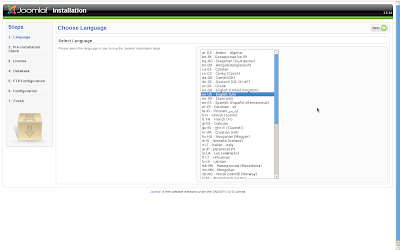


Click next after selecting your language default is english
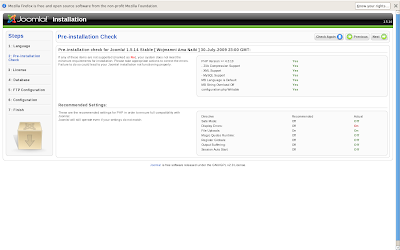


Click next again its telling you your stats about your configuration
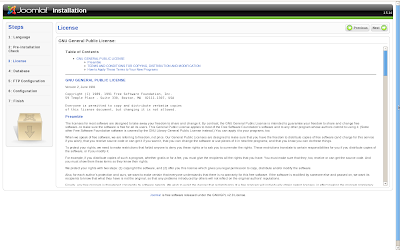


Click next to accept the agreement statement
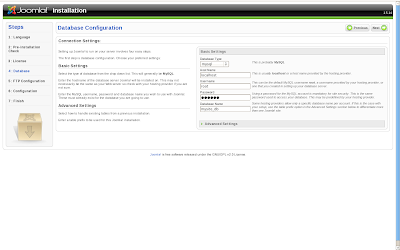


Now first select database (Mysql) than tell your host name most probably your will be also localhost Next select username of mysql server i choosed root and than entered the password of your database server of root and last box is of database name i have choosed mysite_db as my database for my project of joomla. Now click next
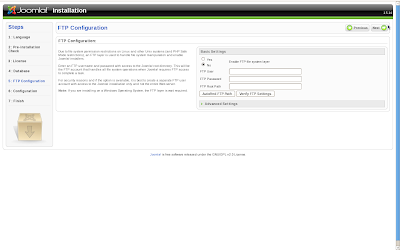


Now select yes if you want ftp support on i choosed it as off and click next
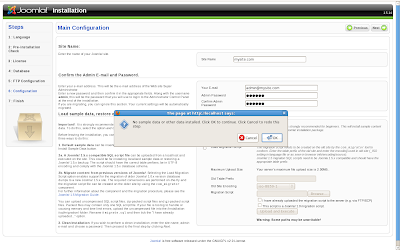


Now enter your site configuratins such as site Name your Email address and your password for administrator Admin password now don't bother next steps i recommend to click next afer filling site name , email , password and confirm password and now click next pop up will come click ok to continue
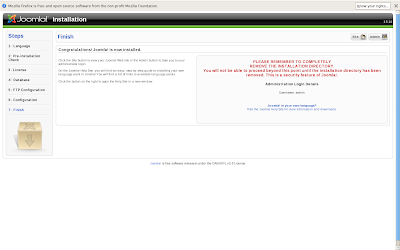


Alright now you have done with configuration now you jsut need to delete a folder from installation folder folder name installation in mysite folder delete that


Folder you have to delete will be in following location /var/www/html/mysite/installation

[ismail@localhost ~]$ sudo rm -r /var/www/html/mysite/installation/

After you have deleted installation folder just type this url on your browser


localhost/mysite
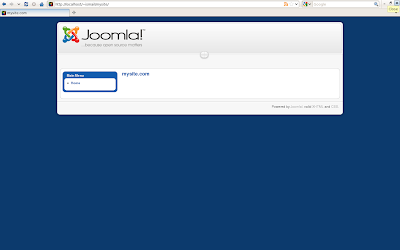


Now you see is your home page and now to get start working type following url on browser


localhost/mysite/administrator
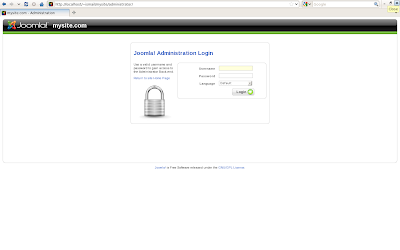


Enter user name as admin and password what you choosed during installation
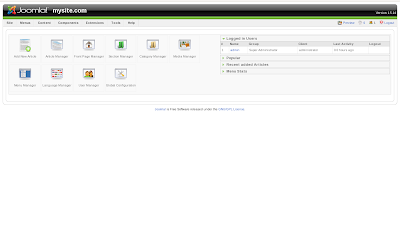


Here you are done with installation and configuration of Joomla and now you can create manage your joomla site


For any help do comment

Thursday, August 6, 2009

Installing ruby on rails on Fedora

how to setup ruby on rails on fedora(setting up ruby on rails on fedora 10 and 11)


1. Programming tools


First of all we need to check wether we have programming tools installed or not if installed than leave the next commnad


[ismail@localhost ~]$ which gcc make git
/usr/lib/ccache/gcc
/usr/bin/make
/usr/bin/git


if you have the same output as i do have than you may continue to next step leaving this one


[ismail@localhost ~]$ su -c 'yum install gcc make git'

2. Selecting Database


Rails supports number of databases and most common rails use are:

1. MySQL

2. SQLite

Installing MySQL for rails


[ismail@localhost ~]$ su -c 'yum install mysql-server mysql-libs mysql-devel'

Installing SQlite for rails


[ismail@localhost ~]$ su -c 'yum install sqlite sqlite-devel'

3. Installing Ruby language


Ruby on rails depends on ruby so before installing ruby on rails we must install Ruby language


[ismail@localhost ~]$ su -c 'yum install ruby ruby-devel ruby-libs ruby-mode ruby-rdoc ruby-irb ruby-ri ruby-docs ruby-mysql ruby-sqlite3'

4. Installing RubyGem


RubyGem is Ruby language libraries


[ismail@localhost ~]$ wget -q http://rubyforge.org/frs/download.php/60718/rubygems-1.3.5.tgz


[ismail@localhost ~]$ tar xzf rubygems-1.3.5.tgz

[ismail@localhost ~]$ cd rubygems-1.3.5

[ismail@localhost rubygems-1.3.5]$ su -c 'ruby setup.rb'

5. Installing Rails


[ismail@localhost ~]$ su -c 'gem install rails'

6. Installing server for rails


Rails comes with WEBrick server which is good for development not for production


[ismail@localhost ~]$ su -c 'gem install mongrel mongrel_cluster'

Apache server for rails application


Setting up Apache server for ruby on rails Application

7. SQlite binding for rails


[ismail@localhost ~]$ su -c 'gem install sqlite3-ruby'

8. MySQL binding for Rails


[ismail@localhost ~]$ cd /usr/lib
[ismail@localhost lib]$ for f in mysql/libmysql*.so mysql/libmysql*.so.1[56]; do ln -s $f; done

[ismail@localhost ~]$ su -c 'gem install mysql'

9. Your Are done with it


Now start building your rails appilcations